Almost every business owner we speak to starts with the same question: “What is the cheapest way to get a good website?” It is a fair question. Money is tight, and a website can feel like a cost with no clear return.
The honest answer is that cheap and affordable are different things. A cheap website is one with a low number on the quote. An affordable website is one that does its job for what you pay, and does not cost you double a year later. Here is how to tell them apart.
Where the money actually goes
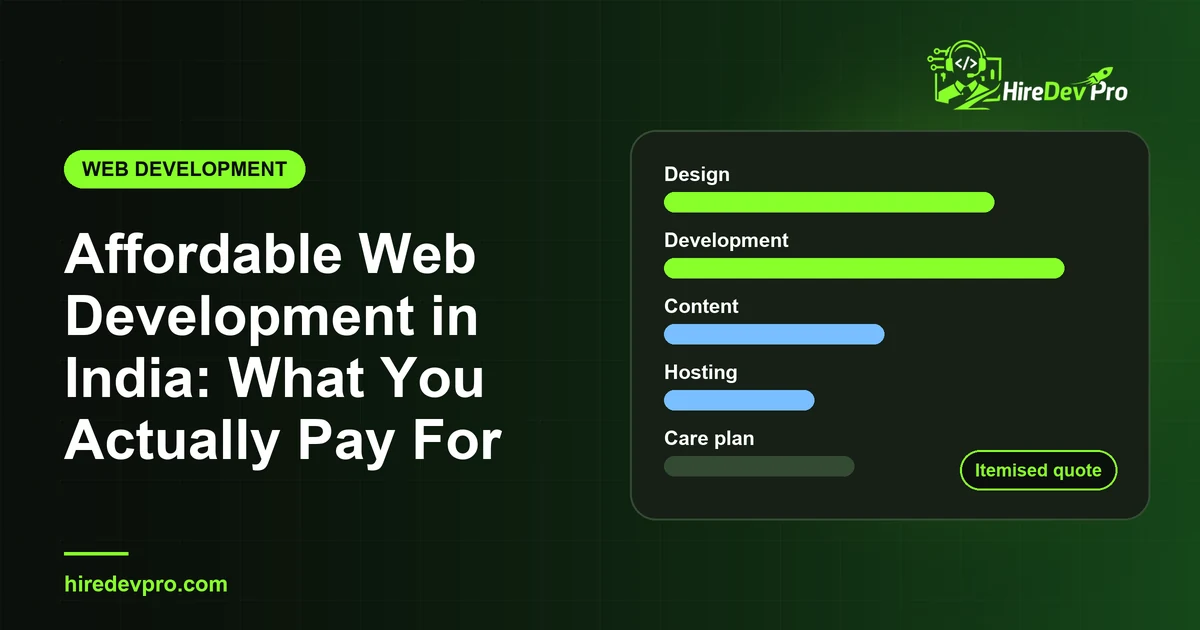
People often imagine a developer typing for a few days. In practice, the price of a site is made up of several smaller pieces:
- Planning and structure: deciding what pages you need and what each one must achieve.
- Design: a custom look built around your brand takes more time than adjusting a ready-made theme.
- Build: turning the design into a fast, mobile-friendly site that works in every browser.
- Features and integrations: a contact form is easy. Online payments, booking, WhatsApp, a CRM or a courier connection each take real work.
- Content: your words and photos. If a developer is also writing and sourcing them, that is extra time.
- Testing and launch: checking every page on real phones, setting up tracking and making sure Google can read the site.
The savings that are usually safe
You can reduce the cost without hurting the result if you do the following:
- Launch smaller. Five well-written pages beat fifteen thin ones. Add the blog, the shop or the portal later.
- Use a good base. A well-built theme or framework, properly customised, can look unique and cost less than starting from zero.
- Bring your own content. Clear text and decent photos from you save a surprising amount of time.
- Decide before the build starts. Changing your mind halfway is the most common reason a fixed price grows.
The savings that come back to bite you
- No ownership. Some cheap offers keep the code or the hosting in their name. Moving away later can mean paying again.
- Slow, heavy sites. Cheap builds often load five megabyte photos and a dozen plugins. People leave, and Google notices.
- Nothing for SEO. If page titles, structure and speed are not handled at the start, fixing them later costs more than doing them once.
- No support. When the form stops working on a Friday evening, you want someone who answers.
Questions worth asking every agency
- What exactly is included, page by page and feature by feature?
- Who owns the code, the design files and the domain once I have paid?
- What are the yearly costs for hosting, domain and any paid plugins?
- How long will it take, and what do you need from me to keep to that?
- What happens if something breaks after launch?
If an answer is vague, that is information too.
A sensible way to start
If your budget is limited, begin with the pages that bring in enquiries: a clear home page, your main services, an about page and a contact page with a form and WhatsApp button. Make sure it is fast on a phone and that Google can find it. Once it brings in leads, use that income to add the next piece.
We explain how we quote on our pricing page, and our guide on website development cost in India goes into more detail. If you would like a number for your own project, tell us what you need on the contact page. You will get an itemised, fixed-price proposal within 24 hours of the first call, and you will own everything we build for you.